When Prompt Caching Makes Your LLM Bill Bigger
A cache write costs more than normal input. If the start of your prompt changes on every call, caching costs you extra. Here's how to spot it and fix it.
Prompt caching gets sold as a discount, and most of the time it is one. Reading a cached prompt costs about a tenth of normal input on most models. But the same pricing page has a second number, one row below, and it's the one I skipped the first time I read it: the cache write.
Writing a prompt into the cache costs more than sending it the normal way. If the cache gets reused, that extra is paid back on the very next call. If it never gets reused, you pay the extra on every request, and caching ends up costing more than leaving it off.
I build a cost tracker, so reading pricing pages line by line is part of the job now. This post is the check I wish I'd known about earlier: how to tell, from the usage numbers your provider already sends back, whether caching is saving you money or quietly costing you.
This post sits in the "Reduce" part of the complete guide to LLM cost optimization. If caching is new to you, start with how prompt caching works and where it pays off, then come back here for the part that goes wrong.
What a cache write costs, by provider
Here's how the three big providers charge for caching. I checked each one against the provider's own documentation on 17 Nov 2026. Rates change, so check again before you budget around them.
| Provider | Cache write | Cache read | How long the cache lives | Where it shows up in usage |
|---|---|---|---|---|
| Anthropic (Claude) | 1.25× input (5-minute cache) or 2× input (1-hour cache) | 0.1× input (0.05× on Sonnet 5.5 and Opus 5.5) | 5 minutes by default, refreshed for free on every hit | cache_creation_input_tokens, cache_read_input_tokens |
| OpenAI (GPT-5.6 and later) | 1.25× input (30-minute cache) or 2.5× input (12-hour cache) | 0.1× input (0.05× on GPT-6.1 Sol and Terra) | 30 minutes by default | input_tokens_details.cache_write_tokens, input_tokens_details.cached_tokens |
| OpenAI (GPT-5.5 and earlier) | No write charge | Discounted | About 5 to 10 minutes of inactivity, up to an hour | cached_tokens |
| Google (Gemini, implicit caching) | No write charge listed | Discount applied automatically | Not stated | usage.total_cached_tokens |
Two things in that table catch people out.
The first is that OpenAI changed. Older OpenAI models had no write fee, so a lot of advice online still says OpenAI caching is free to turn on. From GPT-5.6 onwards, writes cost 1.25× the normal input rate, the same premium Anthropic charges.
The second is the minimum length. Each model has a minimum prompt size below which nothing is cached at all: 1,024 tokens on Claude Sonnet 5 and on GPT-5.6, 512 on the newest Claude models, and 4,096 for Gemini's implicit caching on its current models. Anthropic's docs say a request under the minimum is "processed without caching, and no error is returned." So you can mark a prompt for caching and get nothing back, without any warning.
The math: one reuse pays for the write
Take Claude Sonnet 5 at its published rates: $2 per million input tokens, $2.50 for a 5-minute cache write, $0.20 for a cache read. Say every request starts with the same 10,000-token system prompt.
- Without caching, that prefix costs $0.02 on every request.
- With caching, the first request writes it for $0.025. Every later request reads it for $0.002.
Two requests cost $0.04 without caching and $0.027 with it. So caching is ahead as soon as the prefix is read back once before it expires.
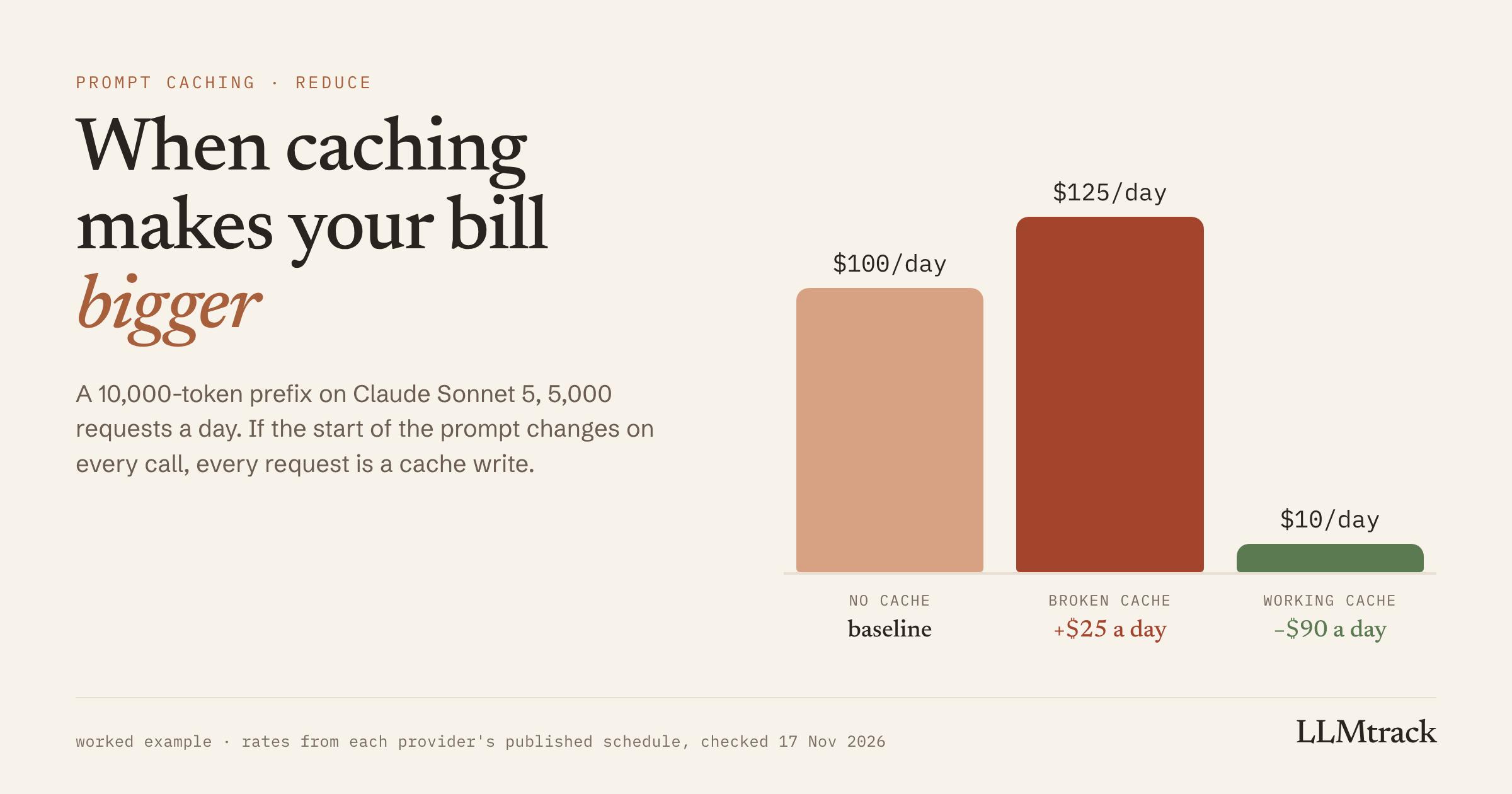
Now say the prefix changes on every call, so the cache never matches. Every request becomes a fresh write at $0.025 instead of $0.02. At 5,000 requests a day, that's about $125 a day with caching switched on, against $100 with it off. A cache that works would bring the same traffic down to around $10.
Same feature, same prompts, same answers. The only difference is whether the first few hundred tokens stay identical between calls.
How a cache breaks without anyone noticing
Caching matches on the prefix, exactly. Change anything near the start and the provider sees a new prompt, writes it again and charges you for the write. The usual causes:
- Something that changes every call near the top. Today's date, a timestamp, the user's name, a request ID someone added for logging.
- Tool definitions that move. On Anthropic, the cache is built in order: tools, then the system prompt, then messages. Changing a tool's name, description or parameters invalidates everything after it. OpenAI's guide makes the same point and suggests restricting tools with
tool_choiceorallowed_toolsinstead of removing their definitions. - Small request settings. On Anthropic, changing
tool_choiceor adding or removing an image invalidates the cached messages. - Rewriting earlier turns. In a chat, appending new messages keeps the cache. Summarizing or trimming the history resets it, which OpenAI's guide calls out directly.
- Quiet gaps longer than the cache lives. Anthropic's default cache lasts 5 minutes from the last hit. If your traffic is spread out, each request can arrive after the previous cache has expired, so you pay for a write every time and never collect the read discount.
- Prompts under the minimum. Covered above. Nothing is cached, and nothing tells you.
What makes this expensive is how quiet it is. The answers look the same and the tests still pass. Caching worked on day one, then someone added the date to the system prompt three weeks later. Your provider's invoice shows one total, and that total drifts up slowly enough that nobody connects it to a one-line prompt change.
The check: cache writes against cache reads, per feature
Every provider in the table reports cached tokens in the usage object it sends back with each response, so you don't need anything new to run this check. You need two numbers, grouped by feature:
- Cache write tokens, the tokens written into the cache
- Cache read tokens, the tokens served from the cache
Then look at them side by side:
| What you see | What it usually means |
|---|---|
| Lots of reads, a few writes | Healthy. Each write gets reused many times. |
| Writes roughly equal to your request count, almost no reads | Something near the top of the prompt changes on every call. |
| A jump in writes right after a deploy | That deploy changed the prefix. |
| Writes spread through quiet hours | The cache expires between requests. |
| Zero writes and zero reads | Caching isn't on, or the prompt is under the minimum length. |
Do this per feature, never just for the whole account. One feature with a broken cache can hide inside an account-wide hit rate that still looks fine.
On Anthropic, the numbers come straight off the response:
const { cache_creation_input_tokens, cache_read_input_tokens, input_tokens } = response.usage;
// Total input = cache_read_input_tokens + cache_creation_input_tokens + input_tokens
log({ feature: 'docs-search', writes: cache_creation_input_tokens, reads: cache_read_input_tokens, uncached: input_tokens });One trap: on Anthropic, input_tokens only counts the tokens after the last cache breakpoint. It isn't your total input, so don't use it alone to estimate cost.
How to fix a cache that isn't paying
- Put everything stable first and everything that changes last. Instructions, examples and reference documents go at the top. The date, the user's name and the actual question go at the end, ideally in the last user message.
- Keep tool definitions identical between calls. Same tools, same order, same descriptions. Restrict which tools can be used per request instead of adding and removing them.
- Append to conversations instead of rewriting them. If you have to summarize a long chat, accept that the next call writes a new cache.
- Match the cache lifetime to your traffic. If requests to a feature regularly arrive more than 5 minutes apart, Anthropic's 1-hour cache is worth a look. It costs 2× input to write instead of 1.25×, but it pays for itself if it saves even one re-write within the hour. OpenAI's 12-hour option works the same way at 2.5×: it beats the 30-minute default only when it saves more than one re-write.
- Re-check after every prompt change. Checking once after setup isn't enough, because the cache usually breaks weeks later, on an edit that had nothing to do with caching.
Where LLMtrack fits, and where it stops
This is the part of the problem I built LLMtrack for. Its Cache Intelligence view tracks the cache hit rate for each feature, shows what caching saved, and prices cache writes as their own line on every request at the write rate, separate from normal input. On the demo workspace I use for screenshots, the docs-search feature's hit rate drops from 85% to 4%, which costs an extra $8.40 a day. You'd see that on that feature the same day, instead of on next month's invoice.
What it can't tell you is which edit caused the drop. That's by design: LLMtrack never sees your prompts, because the SDK only sends token counts and labels. In practice, knowing the feature and roughly when the drop started is usually enough to find the commit.
If you want to estimate a feature before you change anything, the LLM cost calculator gives you a quick number for a model and prompt size, and the LLM API pricing sheet lists cache read and write rates wherever a provider publishes them. To check your own features, you can start on the free plan, which includes Cache Intelligence.
Related reading: why your system prompt is your biggest cost driver and how conversation history quietly inflates chat costs.
FAQ
Writing to the cache does, on Anthropic and on OpenAI's GPT-5.6 and later models. A 5-minute Anthropic cache write and a 30-minute OpenAI cache write both cost 1.25× the normal input rate. Reads cost about 0.1×, so caching saves money as soon as a cached prefix is read back once.
Usually because the start of the prompt changes on every request, so every call writes a new cache entry. Check for dates, IDs or user details near the top, tool definitions that change between calls, and gaps between requests longer than the cache's lifetime. If writes are also 0, the prompt may be under the model's minimum cacheable length.
Not on newer models. GPT-5.5 and earlier have no cache-write charge. GPT-5.6 and later charge 1.25× input for writes with the default 30-minute lifetime, or 2.5× for the 12-hour option.
Compare cache write tokens with cache read tokens for each feature. Healthy caching shows many reads for every write. If writes roughly match your request count and reads stay near zero, the cache isn't being reused.
Only if requests to the same prefix often arrive more than 5 minutes apart. The 1-hour write costs 2× input instead of 1.25×, and it pays off if it saves at least one re-write within the hour.
Sources
Checked on 17 Nov 2026:
See your cache hit rate per feature
Free plan, every feature, no card.
Start tracking free →